Adobe Certified Expertapple-logo-whiteLeft ArrowRight ArrowLeft ArrowRight ArrowDan Rodney LogoDan Rodneyshopping-cartFacebookLinkedInXYouTubesubmenu-arrow-down
  • InDesign Scripts
  • Tips + Tricks Dan Rodney
    • Mac Tips
    • iPhone + iPad
    • Watch
  • Blog
  • Training
  • About
Dan Rodney MENU

Posts Tagged: Safari

How to use Picture-in-Picture for YouTube in macOS Sierra

macOS Sierra brings picture-in-picture videos. In Safari, Right–click (or Control–click) the video and choose Enter Picture-in-Picture. The video will change to a small floating window that you can position in any corner of the screen.

Sep 22, 2016 Read More Right Arrow

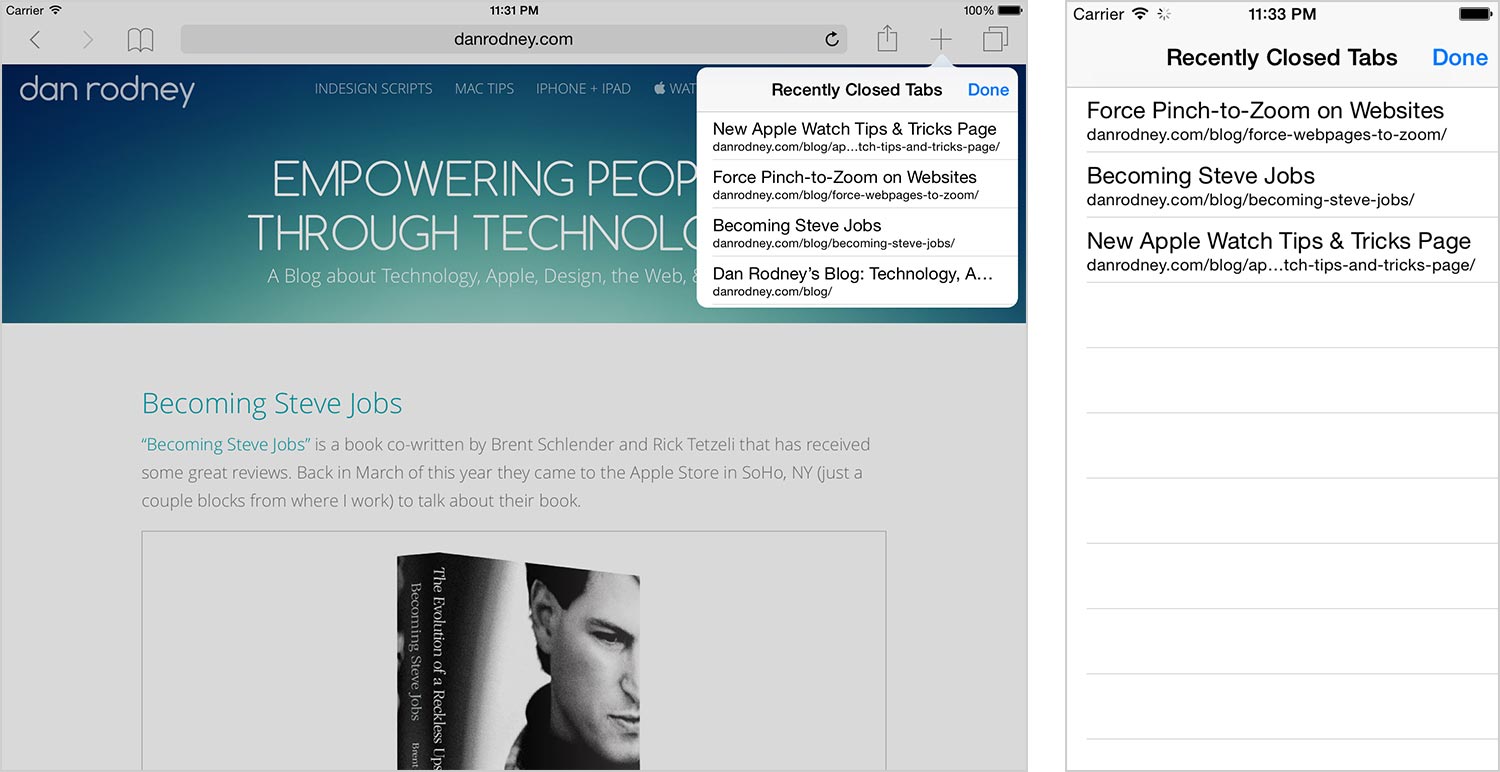
iPhone & iPad Tip: Open Recently Closed Tabs in Safari

Open a Recently Closed Tab in Mobile Safari

Did you know in Apple’s Mobile Safari browser you can reopen a tab that you recently closed? It’s pretty well hidden, so many people would never know. It remembers the last 5 tabs you closed, and here’s how to find it.

Jul 20, 2015 Read More Right Arrow

3-Finger Tap to Preview Links in Safari

In Mac OS X Yosemite, you can preview links in Safari with a 3-finger tap. Hover over a link in Safari, and tap your trackpad with 3-fingers to see a preview.
May 9, 2015 Read More Right Arrow

Left Arrow Back to Blog

Follow @danrodneytweets or subscribe to my RSS feed for updates.

Follow Me

  • YouTube
  • X
  • Facebook
  • LinkedIn

Dan Rodney: Empowering People Through Technology

Adobe Certified Expert

Copyright © 1998–2025 Dan Rodney  Privacy Policy